Internal product · Operational web application
Retail Management System
An internal product focused on the operational core of retail: point of sale, inventory, customers, permissions, and management visibility.
- Evidence type
- Internal product
- Who it serves
- Cashiers, store managers, inventory staff, and administrators responsible for daily retail operations.
- Maxspace role
- Workflow design, interface implementation, API design, and database architecture
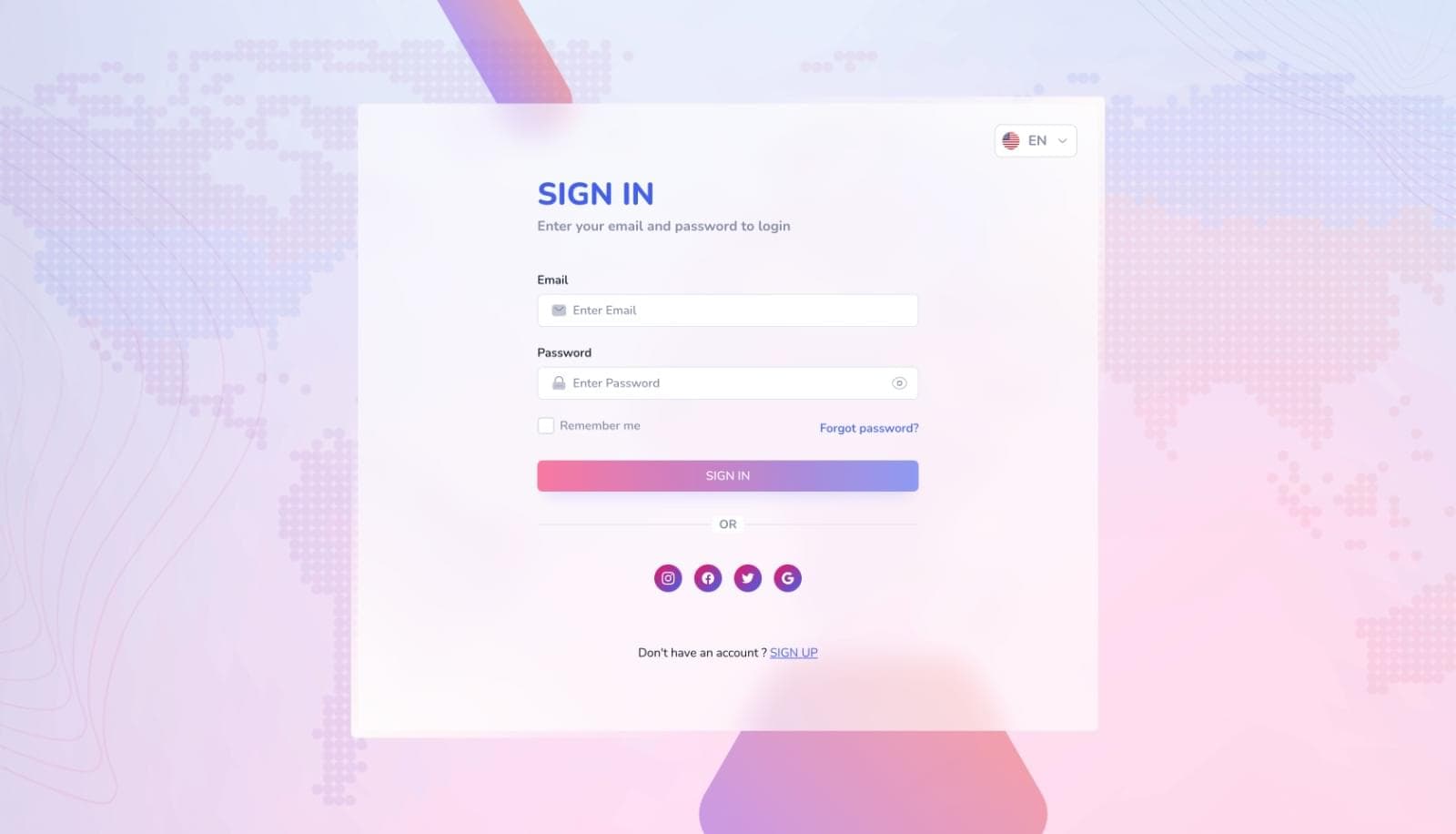
The product and its operating context
This internal product brings point of sale, stock movement, customers, staff permissions, and reporting into one operational model.
Product
Operational web application
Users
Cashiers, store managers, inventory staff, and administrators responsible for daily retail operations.
Scope
Point of sale, Products and inventory, Customers, User permissions, Operational reporting.
Classification
Internal product. This classification defines what the case study does—and does not—claim.
The operational problem behind the interface
When sales, stock, customers, and reporting live in separate processes, every transaction creates more reconciliation work and less confidence in the operational picture.
Project goals
- Keep checkout efficient without weakening transaction controls
- Make stock movement reflect sales and returns consistently
- Show each role the actions and information relevant to its responsibility
Evidence boundary: The product does not claim deployment across a verified retail estate or measured commercial results. Hardware, fiscal, multi-location, and jurisdiction-specific rules would require production discovery.
What needed to be understood before solution decisions
Discovery focused on the moment a retail transaction changes the business: payment is recorded, stock moves, reporting changes, and responsibility must remain traceable.
- Mapped high-frequency cashier actions and management oversight needs
- Separated sales, returns, stock adjustments, and administrative responsibilities
- Defined role boundaries for cashiers, managers, and administrators
- Prioritized transaction accuracy and recovery before advanced reporting
- Identified where multi-store, tax, hardware, and offline requirements would require further discovery
A high-level view of the system
Business rules are centralized in the transactional API so sales, returns, and stock changes pass through the same validation. Permission checks apply to both the interface and the underlying operations.
Role-specific application
Angular presents focused workspaces so frontline and management users do not share one overloaded interface.
Transactional API
Node.js and Express centralize sales, returns, stock, user, and reporting operations.
Operational data
MongoDB stores products, transactions, customers, users, and stock records behind validated service operations.
Permission model
Role checks protect management, reporting, user, and inventory actions at both interface and API boundaries.
Reporting layer
Reporting reads from consistent transaction data instead of maintaining a separate manual reporting process.
Deployment boundary
Application, API, database, credentials, backups, and any store hardware require explicit production ownership.
Why the stack was used
Technology choices are described in the context of this project. They are not universal recommendations for every product.
Angular
Chosen for a structured operational application with repeatable forms, shared services, routing, and clear separation between role-specific areas.
Node.js and Express
Used to place transaction and permission rules behind one API layer shared by point-of-sale and management interfaces.
MongoDB
Supported the product's evolving operational records. Production selection would be revisited against atomicity, audit, reporting, and multi-location requirements.
REST APIs
Made retail actions explicit and allowed interface workflows to remain separate from business-rule enforcement.
Role-based access
Selected because operational responsibility differs by job function; permissions need to follow actions, not only pages.
Features organized around responsibility
Point of sale
- Product lookup
- Cart and totals
- Transaction completion
- Customer association
- Receipt-ready records
Inventory
- Product records
- Stock visibility
- Adjustments
- Transaction-linked movement
- Low-stock context
Management
- User administration
- Role controls
- Operational settings
- Customer records
- Exception handling
Reporting
- Sales visibility
- Inventory position
- Transaction history
- Filtered views
- Export-ready data
Interface decisions that reduce uncertainty
Task priority
Cashier screens minimize navigation and keep totals, item state, and completion actions visible.
Role clarity
Management depth is kept out of frontline workflows while remaining accessible in dedicated workspaces.
Error prevention
Destructive or consequential actions require clear context, validation, and understandable confirmation.
Responsive behavior
Management and reporting screens adapt for tablets and phones; dense tables become focused records where necessary.
Information hierarchy
Status, quantity, value, and ownership are presented before secondary metadata.
Where the difficult decisions sit
Coordinating transaction effects
A sale affects payment records, stock, customer history, and reporting. These changes were kept within coordinated service operations rather than independent screen updates.
Protecting role boundaries
Permissions were mapped to business actions and checked by the API, reducing reliance on interface visibility as a security control.
Making reporting trustworthy
Reports use the same validated transaction records as operational workflows, reducing the risk of a second conflicting data source.
Supporting dense operational views
Tables, filters, and summaries were designed around the decisions each role needs, with alternative layouts for smaller screens.
How production risk would be addressed
Quality assurance
- Test sale, return, cancellation, and stock-adjustment behavior against acceptance rules
- Verify permission boundaries for each operational role
- Check totals, quantities, and linked record changes
- Test empty, loading, validation, and failed-transaction states
- Review report filters against known transaction examples
- Validate agreed browsers, screen sizes, keyboard paths, and focus behavior
Security considerations
- Require authenticated access to operational functions
- Apply least-privilege permissions to sales, inventory, users, settings, and reports
- Validate prices, quantities, identifiers, and state transitions on the server
- Keep environment secrets, database access, and deployment credentials outside source code
- Avoid exposing unnecessary customer or financial information in logs and errors
- Define audit, session, backup, and retention requirements before production rollout
These are product-specific considerations and review activities. They are not claims of certification, regulatory approval, absolute security, or completed production assurance.
Optimize against real usage, not abstract scores
Product lookup
Use appropriate indexes and bounded results so search remains useful as the catalogue grows.
Transaction history
Paginate and filter on the server rather than loading an entire operational history into the browser.
Reporting
Use targeted queries or prepared reporting views for expensive aggregations after measuring representative data.
Interface loading
Load role-specific code and data according to the active workspace where practical.
Reliability
Treat network interruption, retries, and duplicate transaction prevention as production requirements, especially for store environments.
What the product is designed to improve
- A shared operational view of sales and inventory
- Less repeated handling between core retail tasks
- Clearer responsibility and access across staff roles
Lessons and future direction
Retail software is defined by transaction integrity and recovery, not the checkout screen alone. Future work should validate offline behavior, payment and receipt hardware, multi-store reconciliation, tax rules, backups, and operational support before rollout.
The outcome statements above describe intended operational improvements. No unverified KPI, revenue, adoption, or client result is implied.
Project gallery
The interface in context
Screens are shown without decorative device frames so the information hierarchy and product behavior remain visible.


Tools grouped by responsibility
Frontend
Backend
Database
Authentication
Infrastructure
Tools
Planning something similar?
Discuss the business problem before committing to a solution
Share the current workflow, users, integrations, constraints, and intended change. We will identify what must be validated before responsible scope or architecture decisions are made.
Discuss your project